





Evaggelos Balaskas - System Engineer

The sky above the port was the color of television, tuned to a dead channel

Blog
Posts
Wiki
About
Contact
rss.png twitter linkedin github gitlab profile for ebal on Stack Exchange

Next Page »
  -  
May
02
2026
I want to run Ubuntu Virtual Machines on my Macbook
Posted by ebal at 15:17:14 in blog, planet_Sysadmin

I use multiple computers and multiple mobile devices. This is mostly because I like keeping my personal devices/accounts separated from my work-related things, also … company policy. The last 4 years I am using an apple macbook, it’s a managed and restricted device. With managed devices, a lot of features like virtualization, containers or even VPN, anything that has network access and many other functionality were restricted. Recently I got a replacement macbook, thanks to our IT, and now for the first time I can use my old device as an unmanaged macbook.

Oh, I missed a lot!

so_it_begins

Tart

To start my journey, I want to quickly spawn virtual machines (mostly ubuntu server) to test/run self hosted applications. I found Tart Virtualization to be excellent for this.

Tart is a virtualization toolset to build, run and manage macOS and Linux virtual machines on Apple Silicon.

To install and use tart is extremely easy:

brew install cirruslabs/cli/tart

tart clone ghcr.io/cirruslabs/macos-tahoe-base:latest tahoe-base
tart run tahoe-base
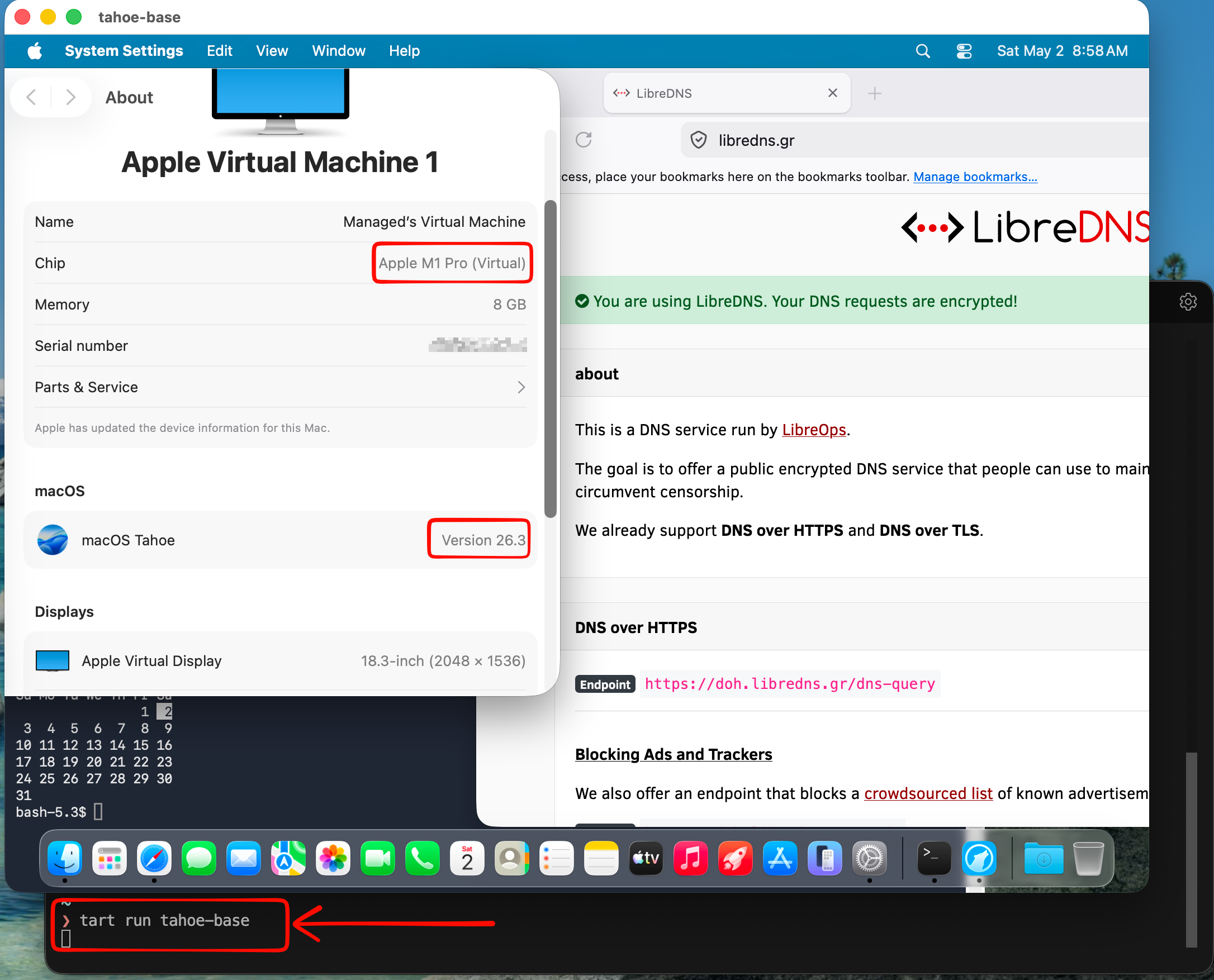
tart_tahoe

Ubuntu virtual machine

is very easy to setup an ubuntu virtual machine with tart, as an ubuntu image already exist

tart clone ghcr.io/cirruslabs/ubuntu:24.04 ubuntu
tart set ubuntu --disk-size 20
tart run ubuntu

and the default credentials are:

Username: admin
Password: admin

caveat: Change them if you are going to use them in production.
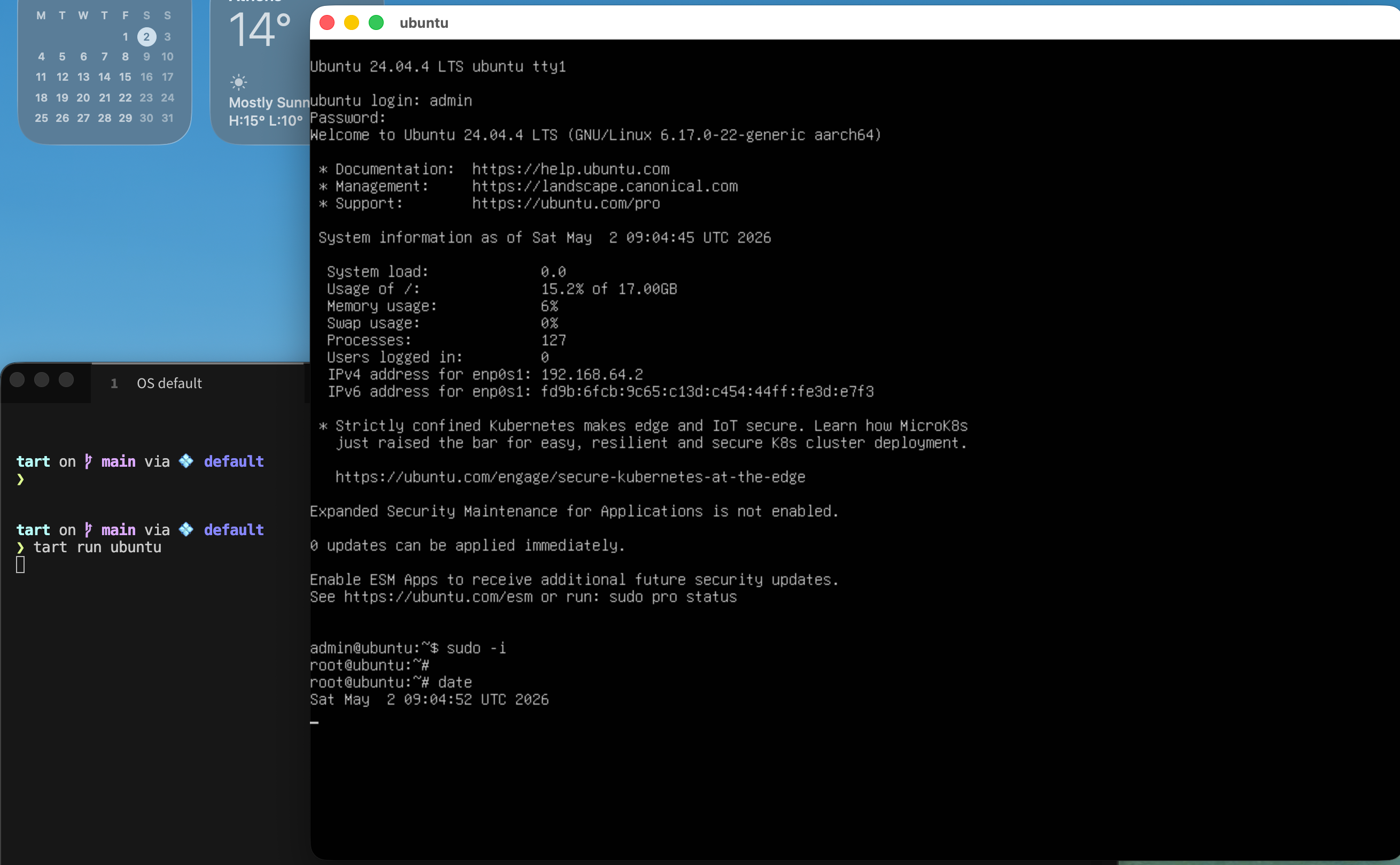
tart_ubuntu

We can also change the default values

like cpu and/or memory settings, as disk size above

❯ tart set ubuntu --memory 8192
❯ tart set ubuntu --cpu 4
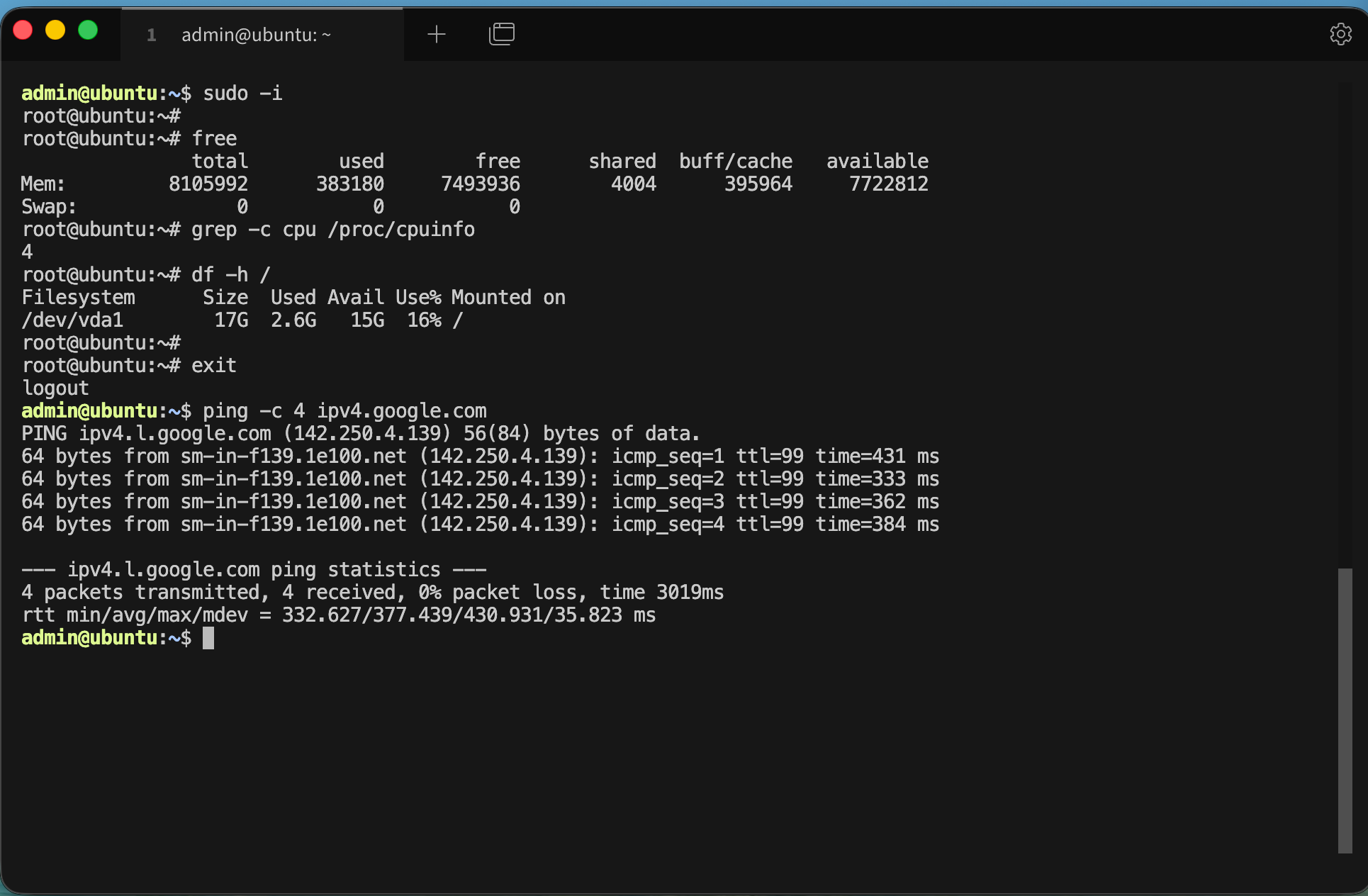
tart_specs

We can start the VM without graphics

❯ tart run ubuntu --no-graphics &

Is this vm running ?

✦ ❯ tart list | grep -i ubuntu
local  ubuntu                                      20   3    6 seconds ago running

OCI    ghcr.io/cirruslabs/ubuntu:24.04             20   5    14 hours ago  stopped
OCI    ghcr.io/cirruslabs/ubuntu@sha256:9e71b46... 20   5    14 hours ago  stopped

We can find the IP of the virtual machine

✦ ❯ tart ip ubuntu
192.168.64.2

… and we can ssh into the VM

✦ ❯ ssh admin@$(tart ip ubuntu)
admin@192.168.64.2's password:
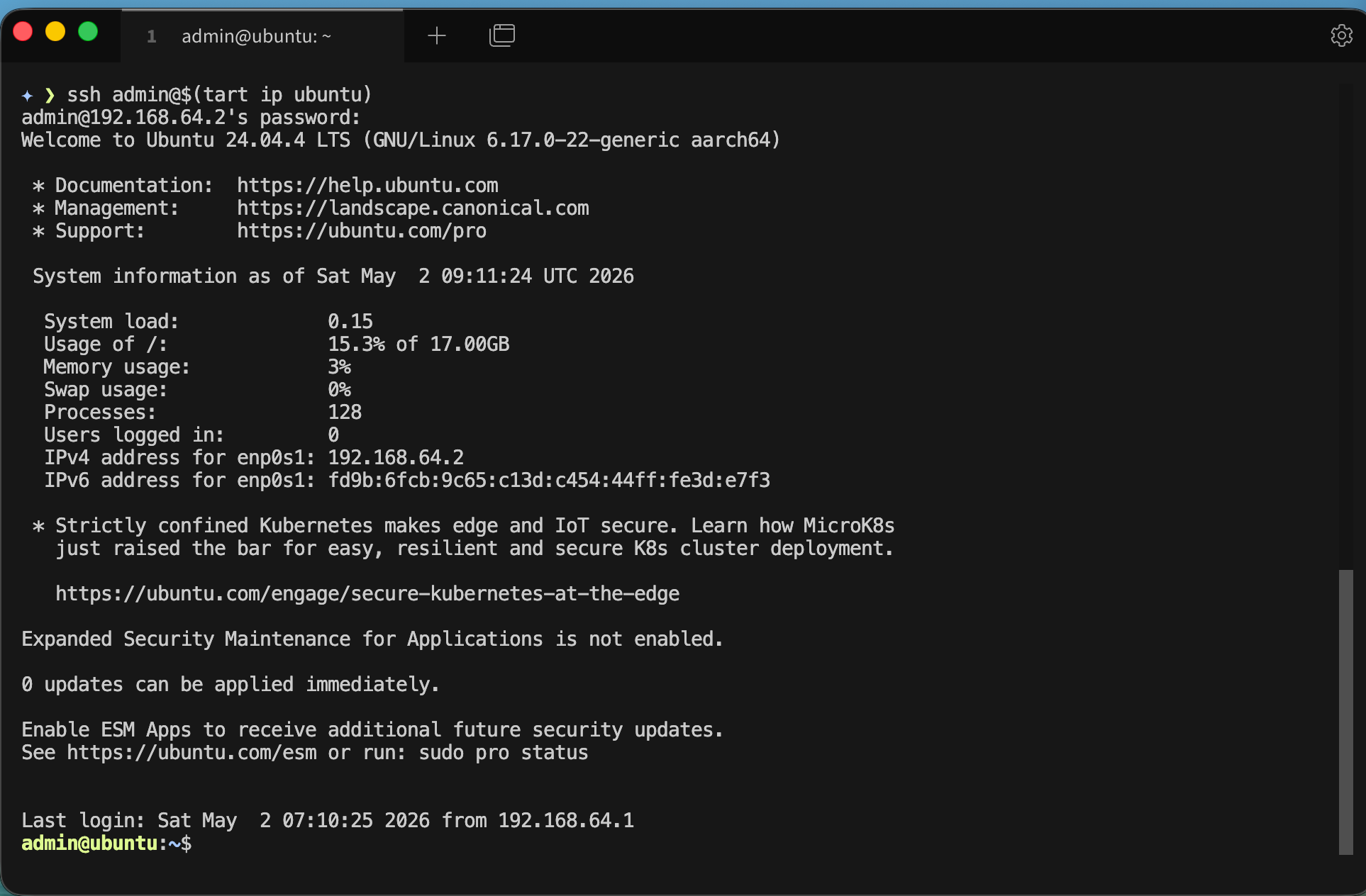
tart_ssh

We can even add it to our tailscale network

I guess you already know how to add machines to your tailnet
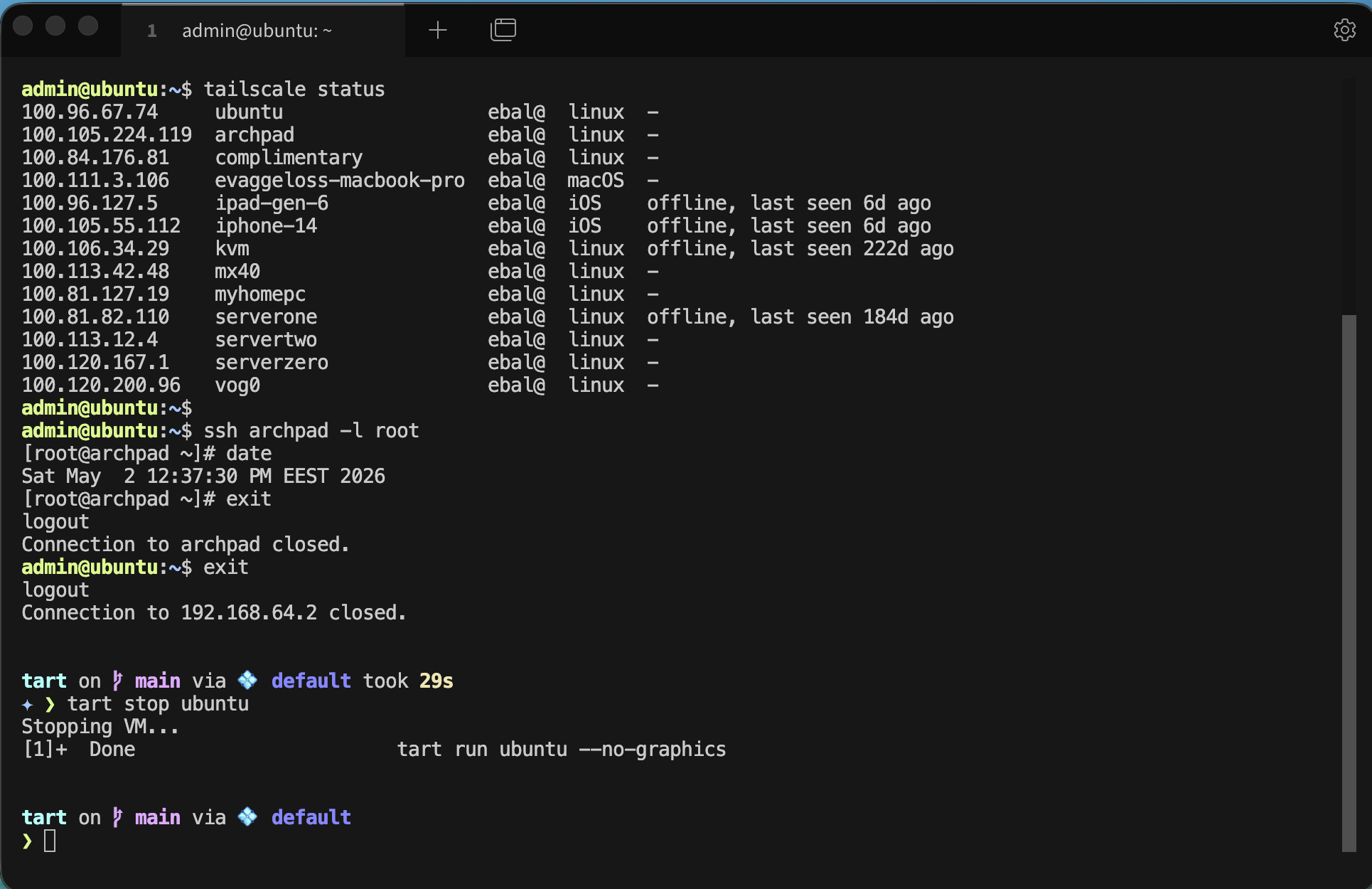
tart_tailscale

and don’t forget to stop or delete your VMs if you do not need them

tart stop ubuntu
tart delete ubuntu

It works !
Evaggelos

Tag(s): tart, ubuntu, macbook, virtualization, apple
    Tag: tart, ubuntu, macbook, virtualization, apple
  -  

Search

Admin area

  • Login

Categories

  • blog
  • wiki
  • pirsynd
  • midori
  • books
  • archlinux
  • movies
  • xfce
  • code
  • beer
  • planet_ellak
  • planet_Sysadmin
  • microblogging
  • UH572
  • KoboGlo
  • planet_fsfe

Archives

  • 2026
    • May
    • April
    • March
    • January
  • 2025
    • December
    • October
    • September
    • April
    • March
    • February
  • 2024
    • November
    • October
    • August
    • April
    • March
  • 2023
    • May
    • April
  • 2022
    • November
    • October
    • August
    • February
  • 2021
    • November
    • July
    • June
    • May
    • April
    • March
    • February
  • 2020
    • December
    • November
    • September
    • August
    • June
    • May
    • April
    • March
    • January
  • 2019
    • December
    • October
    • September
    • August
    • July
    • June
    • May
    • April
    • March
    • February
    • January
  • 2018
    • December
    • November
    • October
    • September
    • August
    • June
    • May
    • April
    • March
    • February
    • January
  • 2017
    • December
    • October
    • September
    • August
    • July
    • June
    • May
    • April
    • March
    • February
    • January
  • 2016
    • December
    • November
    • October
    • August
    • July
    • June
    • May
    • April
    • March
    • February
    • January
  • 2015
    • December
    • November
    • October
    • September
    • August
    • July
    • June
    • May
    • April
    • March
    • January
  • 2014
    • December
    • November
    • October
    • September
    • August
    • July
    • June
    • May
    • April
    • March
    • February
    • January
  • 2013
    • December
    • November
    • October
    • September
    • August
    • July
    • June
    • May
    • April
    • March
    • February
    • January
  • 2012
    • December
    • November
    • October
    • September
    • August
    • July
    • June
    • May
    • April
    • March
    • February
    • January
  • 2011
    • December
    • November
    • October
    • September
    • August
    • July
    • June
    • May
    • April
    • March
    • February
    • January
  • 2010
    • December
    • November
    • October
    • September
    • August
    • July
    • June
    • May
    • April
    • March
    • February
    • January
  • 2009
    • December
    • November
    • October
    • September
    • August
    • July
    • June
    • May
    • April
    • March
    • February
    • January
Ευάγγελος.Μπαλάσκας.gr

License GNU FDL 1.3 - CC BY-SA 3.0